Find social media trends and competitor ads before you post
Know what is working before you post.
Find Trends shows what people search and share right now. Track Competitors shows their ads and design choices. Ad Library finds any brand's winning ads. Recreate turns any of them into a draft in your brand.
Guessing what to post wastes the posts you make
Most content calendars are filled with what the team thought of on Monday. Meanwhile customers are searching for something else, and competitors are testing ads that already show what works.
Discover brings that evidence into the app you post from. You see rising searches, competitor ads and long-running ads on one screen, and with one click any of them becomes a draft in your voice, with your products and facts.
Discover is built for small teams that do not have a research budget. Five minutes at the start of the week is enough to see what is rising, what competitors changed and which ads keep running, and to turn the best idea into a draft.
See what is growing in your niche this week
Topics and formats ranked by growth
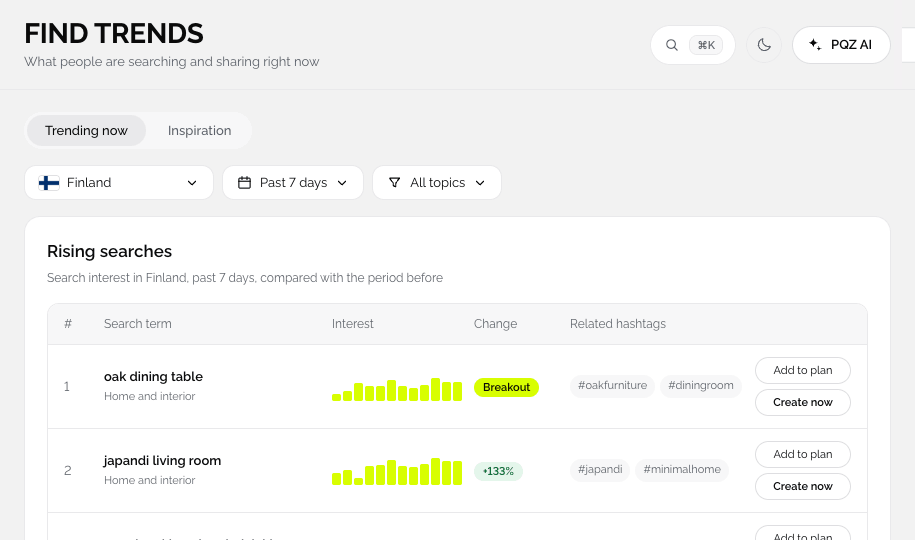
Find Trends ranks the topics and formats that are gaining attention in your industry, with the channels they are growing on. Click Recreate on any trend and Remix a Post opens with the idea filled in.



Watch what competitors post and what works for them
Their top posts, formats and timing
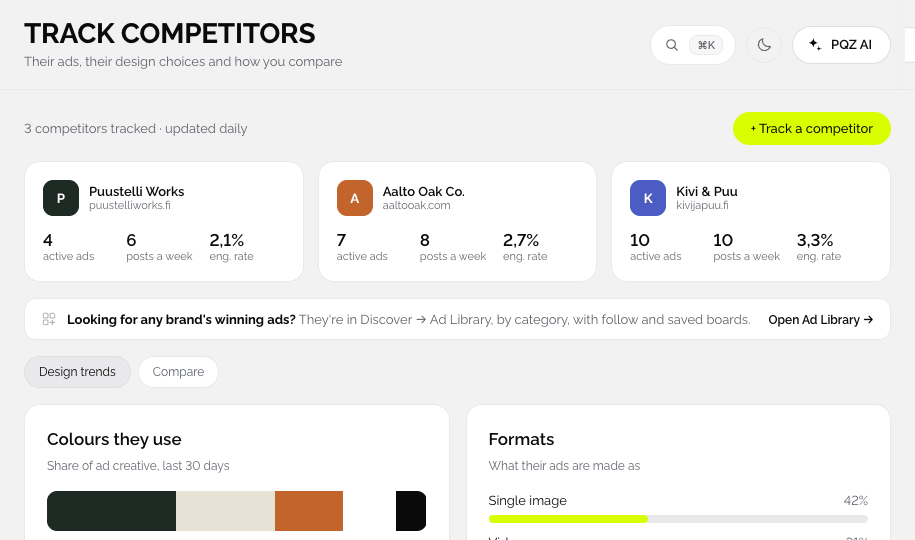
Add competitors and PQZ tracks their posts, how often they publish, which formats they use and which posts do best. Use it to spot gaps, not to copy.

Save ads you like into boards
Inspiration you can act on
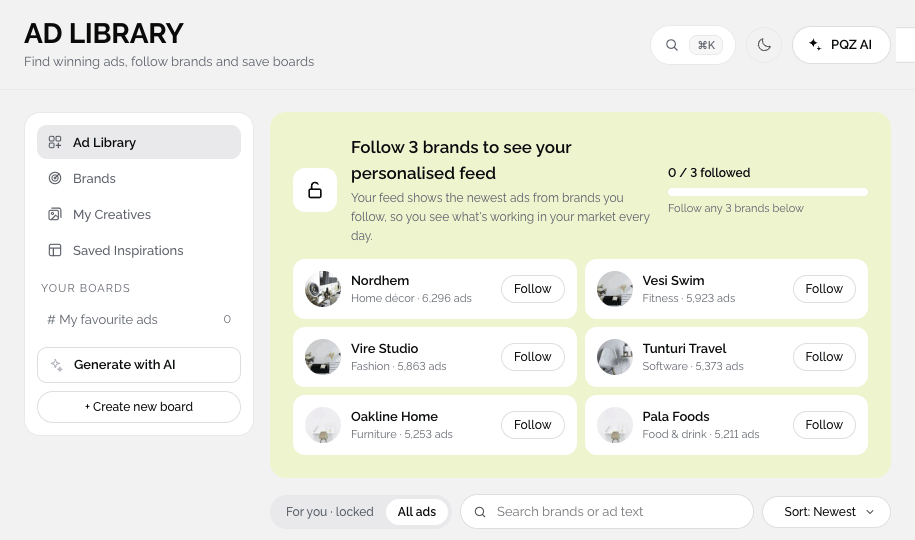
Search Meta ads by brand or keyword, save the ones you like into boards, and click Recreate to build your own version in Create Ad with your product and approved facts.




From idea to draft
Three tools, one button: Recreate.
Browse trends
Find Trends shows rising searches and related hashtags by country and category.
Watch competitors
Track Competitors shows the ads they run and how you compare.
Search the Ad Library
Find any brand's public ads and save the best to boards.
Recreate it
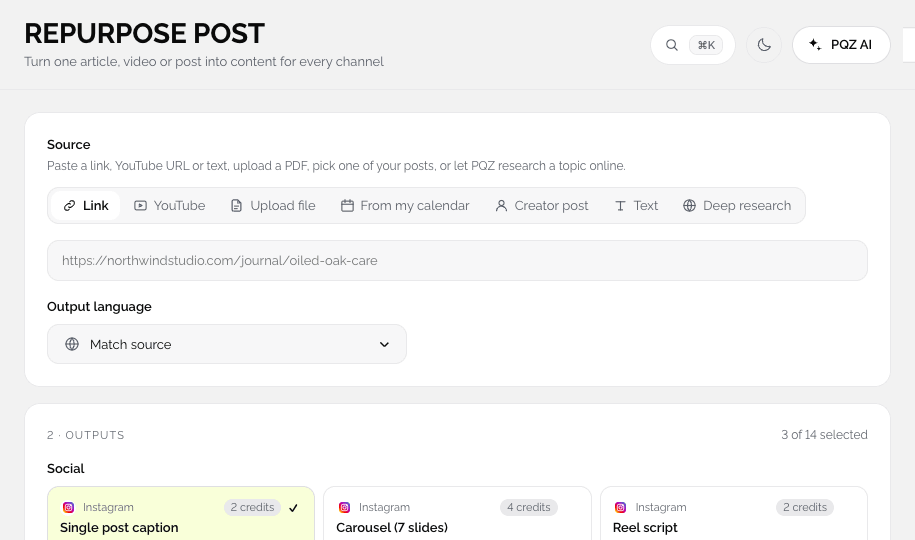
Recreate opens Remix a Post with the link, image and source filled in and the breakdown shown.
Ideas with evidence behind them
From real search and ad data.
Rising searches
What people search right now, by country and category.
Related hashtags
For each trend.
Post about it
Opens Create Image with the prompt filled in.
Competitor ads
What they are running now.
Design choices
The colours, formats and hooks competitors use.
Ad Library search
Any brand's public ads.
Boards
Save the best ads to boards for the team.
Long-running ads
Ads that have run longest are usually the ones that work.
Recreate
Turns any trend, ad or competitor post into a draft in your brand.
Learning from others without copying them
Keep the idea, not the words
Recreate uses Remix a Post, which keeps the hook and structure and writes new copy with your own facts and voice. The breakdown is shown next to your draft.
Long-running ads are a signal
Brands rarely keep paying for ads that don't work. Ads that have run for a long time in the Ad Library are a good starting point for your own tests.
Trends by place and category
Find Trends is filtered by country and category, so a trend you act on is relevant to the customers you actually sell to.
From trend to post in one click
Post about it on any trend opens Create Image with a prompt already written for your brand. The result can go into a post, an ad or your Content Autopilot plan like any other draft.
How brands use Discover
Three ways to find better ideas.
Start Monday with evidence
Check Find Trends, pick two rising topics and send them to Content Autopilot or Create Image.
Test what already works
Save long-running competitor ads to a board and recreate the strongest ones for your products. See Meta ads.
See how others launched
Search the Ad Library for launches in your category before you plan yours.
Ideas, before and after Discover
The same Monday meeting.