AI social media content planner on autopilot
Set the plan once. PQZ writes and schedules to it.
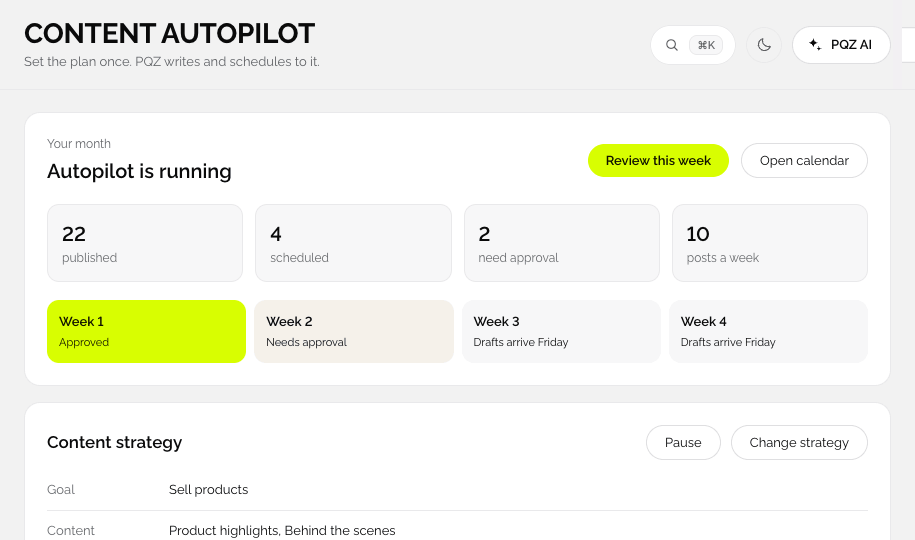
Content Autopilot takes your goal, topics, post types and schedule, then drafts 30 days of posts in your brand for every channel. Every post waits for your approval.
Planning 30 days of social is a job in itself
Posting consistently means deciding what to say, when, on which channel and in which format, every single week. Most small teams plan on Sunday night, run out of ideas by Wednesday, and go quiet during the busiest weeks of the year.
A calendar tool only gives you empty boxes. Content Autopilot fills them. You make the decisions that need you, like the goal, the topics and how often to post, and PQZ turns them into a full month of drafts built from your Brand Kit, your products and the dates that matter to your business.
Set the plan once. Get 30 days of posts
Eight short steps, then the month is drafted
Choose your goal and tone, the topics you want to talk about, the post types and how often to post. Content Autopilot writes and designs every post for the month, places them on the calendar and shows the credit total before you approve.
Choose the mix, see the cost
Four post types with clear credit costs
Single Image costs 1 credit, Image as Reel 2, Carousel 2 and UGC Video 4. Set how many of each you want per week and Content Autopilot balances them across channels, so the month is never all one format.










Read the whole month before a single post goes live
30-day preview, then approve
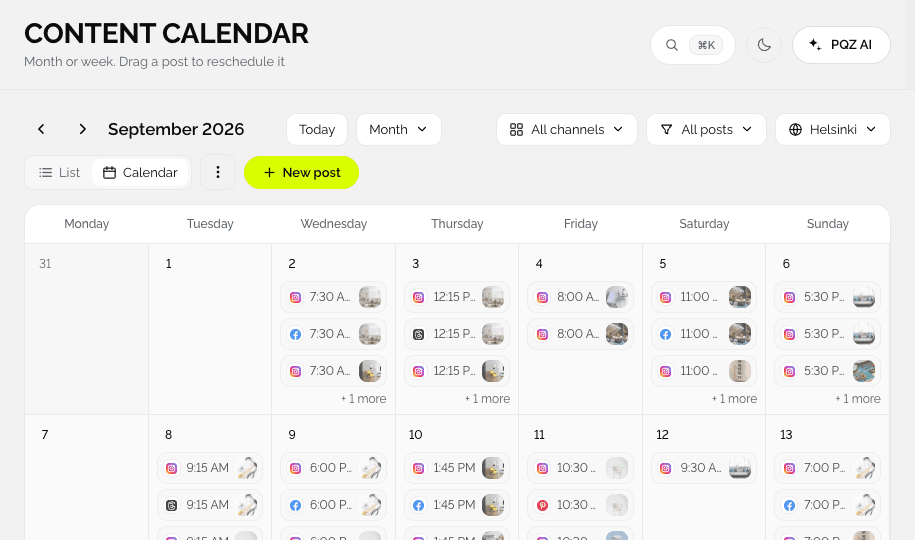
Step seven shows every drafted post in order. Swap a topic, move a date, rewrite a caption or regenerate an image. When the month looks right, approve it in one pass and PQZ schedules everything.
A calm bedroom starts with fewer, better pieces. Our oak bed frame, made to order.

Swap this to Oct 21, the 20th is a holiday post.
Eight short steps, then 30 days of drafts
Brand kit, Goal & tone, Topics, Post types, Design, Schedule, Review and Publish.
Confirm your brand
Autopilot starts from your Brand Kit: business, colours, fonts and voice, read from your website.
Set goal, topics and post types
Choose the goal and tone, the topics to cover and the mix: Single Image, Carousel, Image as Reel or UGC Video.
Pick the schedule
How often, on which channels and at which times. Holidays and awareness days for your country can be added.
Review and approve
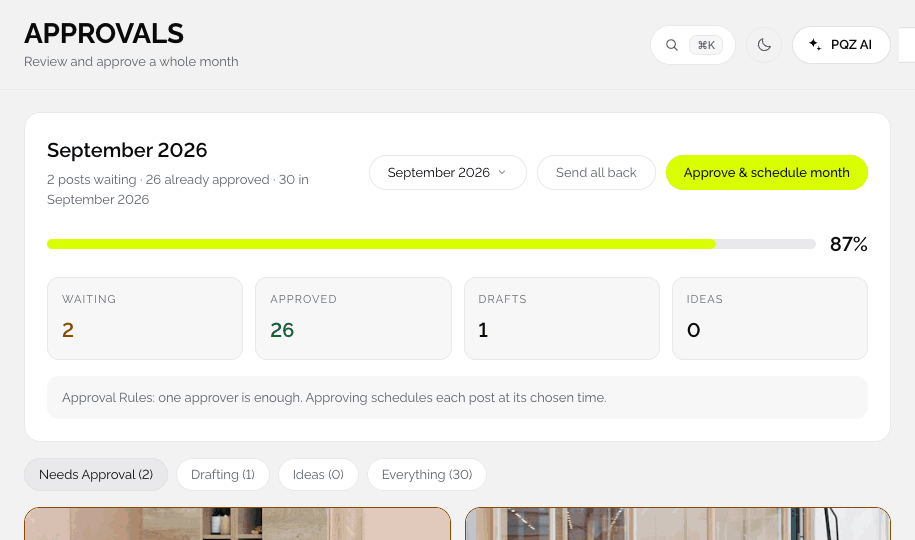
See every post in the 30-day preview, then approve in Approvals, all at once or one by one.
Everything a month of content needs
Built from your Brand Kit, your products and your calendar.
Goal and tone
Sell, grow followers or build trust. The tone follows your Brand Kit.
Topics
Products, tips, behind the scenes, proof. You choose, PQZ balances them.
Four post types
Single Image (1 credit), Carousel (2), Image as Reel (2) and UGC Video (4).
Holidays and events
Public holidays for your country and awareness days for your industry, each one on or off.
Design
Posts use your colours, fonts and approved photos.
Schedule
Posts per week, channels and times, with best times from your results.
30-day preview
See every post, its caption and its date before anything is scheduled.
Credit total up front
Autopilot shows the credits the month will use before you approve it.
Draft first week now
Want to see it working? Draft the first week before you finish every step.
What makes Content Autopilot different from a scheduler
It plans as well as schedules
A scheduler needs finished posts. Content Autopilot starts from a goal and a handful of topics and produces the posts, the images and the dates, so the calendar is full before you open it.
It stays inside your brand
Every draft uses the voice, colours, fonts, products and approved facts in your Brand Kit. If a post would need a claim you have not approved, PQZ asks instead of inventing it.
It gets better with results
Best times come from your own Social Analytics. As posts go out, the plan learns which formats and times work for your audience and uses them for next month.
How brands use Content Autopilot
Three ways to stop planning from scratch.
A full month in one sitting
Set the plan once, approve the month over coffee and let PQZ publish. About an hour a month instead of every evening.
Busy weeks planned ahead
Turn on holidays and events, and Autopilot adds posts around the dates that matter to your trade, ready for review weeks ahead.
A month per client in minutes
Each client workspace gets its own plan from its own Brand Kit. See PQZ for agencies.
Planning, before and after Content Autopilot
The same month of posts.
Questions about Content Autopilot
Will Content Autopilot post without asking?
Can I change the plan later?
How many posts can it make?
Which post types does it make?
Where do holiday dates come from?
Which plan includes Content Autopilot?
Can I write some posts myself?
Keep exploring PQZ
Set your plan in about ten minutes and approve your first 30 days today.