Social media approval workflow for your whole month
Review and approve a whole month in one sitting.
Nothing goes live until someone says yes. Approve in bulk, send a post back with a note, or require a second approver. Every decision is saved in the audit log.
Approvals by email and chat slow everything down
In most teams, approval means screenshots in a chat, a spreadsheet of captions, and a manager who replies on Friday. Posts miss their date, changes get lost, and nobody can say who approved the post that went wrong.
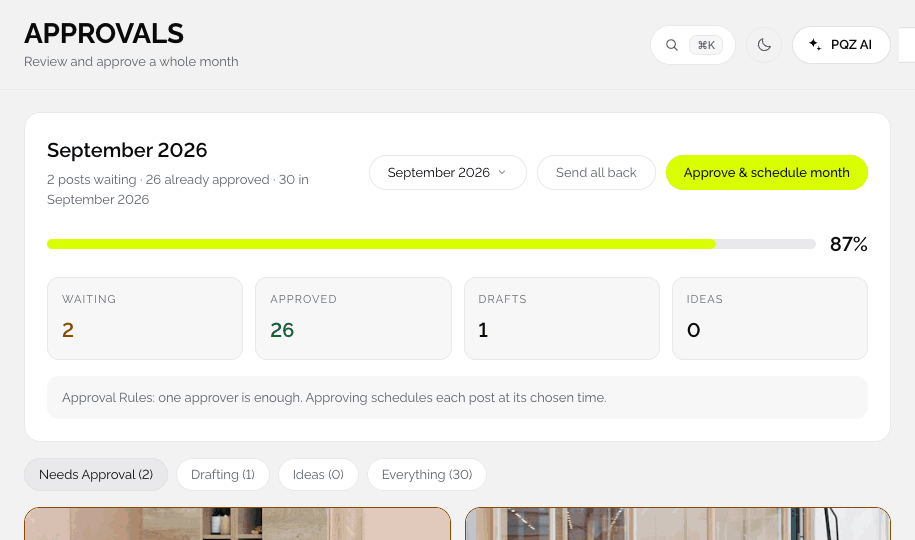
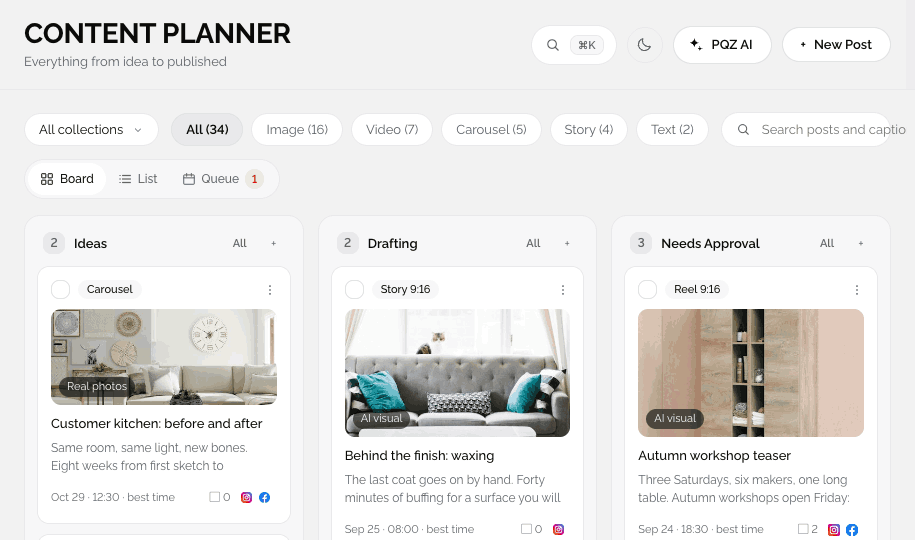
Approvals in PQZ puts every draft in one queue with its preview, schedule and channel. The approver reads, edits or comments, then approves the lot or sends a post back with a note. Content Autopilot drafts go through the same queue, so AI never skips a human.
Every post waits for approval by default
Approve, edit or send back with a note
Posts from Content Autopilot, Repurpose Post and your team all land in Approvals. Read each one as your customer would, fix small things in place, or send it back with a comment. Approved posts are scheduled at their time.

Weekend brunch is back: buttermilk pancakes with berries, 9 to 2 on Saturday and Sunday.

Brunch ends at 1 on Sundays. Can we fix the time?
For posts that need a second pair of eyes
Two sign-offs before anything is scheduled
Turn on Two approvers and every post needs a second yes. Useful for regulated claims, client work and launches. Each approval is recorded in the audit log with who and when.
Share a month for review without adding a login
View only, can comment or can edit
Send a share link for the month. Choose View only with no login, Can comment, or Can edit. Clients and managers see the posts as they will appear and leave comments on the ones they want changed.







How approvals work
Simple for the writer, the approver and the client.
Drafts arrive
From Content Autopilot, Repurpose Post, your team or you.
Review each post before it goes live
See each post as it will look, its schedule and its channel. Edit or comment inline.
Approve or send back
Approve a week or a month at once, or send a post back with a note.
Scheduled
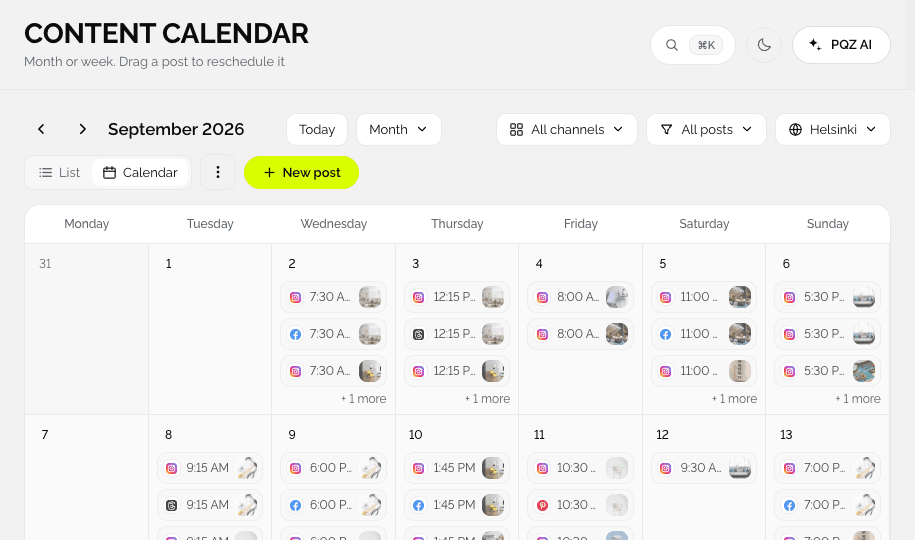
Approved posts move to the Content Calendar.
What an approver sees
Each post shows what it says, where it goes and when.
Approve in bulk
Approve and schedule a whole month with one button.
Send back with a note
The writer sees exactly what to change.
Two approvers
An approval rule that requires a second sign-off on every post.
Auto-schedule on approval
Approving puts the post straight into the queue at its chosen time.
Preview per channel
See the post as it will appear on each channel.
Share the month
Send a link. View-only needs no login; you can allow comments or edits.
Approver role
Give people the right to sign off without full editing rights.
Audit log
Every approval, rejection and edit, with who and when. Export to CSV.
Slack alerts
Approval requests can post to a Slack channel.
Approval rules you set once
Require approval before publishing
On by default. Nothing leaves Needs Approval on its own, whether it was written by a teammate, Content Autopilot or Repurpose Post.
Two approvers
Turn this on when a second pair of eyes is required. After the first approver signs off, the post shows that one more approval is needed before it can be scheduled.
Auto-schedule on approval
For teams that plan ahead, approving puts the post straight into the queue at its chosen time. Turn it off if you prefer to set times after approval.
Roles decide who can approve
Owners and Approvers can sign off content. Editors can draft and edit, and Viewers can only look. Custom roles and audit log export come with Agency.
Who relies on Approvals
Three teams, one queue.
Two approvers on every post
Health, finance and legal teams turn on Two approvers, so no claim goes out on one person's say-so. See health and wellness.
Client sign-off without chasing
Share the month by link. The client comments, you fix, and the approved posts schedule themselves. See agencies.
Twenty minutes, once a month
Autopilot drafts the next 30 days. You read it in one sitting and approve.
Approvals, before and after PQZ
The same month of posts.
Questions about Approvals
Can posts skip approval?
Can I require two approvers?
Can clients review without an account?
Is there a record of approvals?
What happens after I approve?
Is Approvals on every plan?
How do approvers know something is waiting?
Keep exploring PQZ
Scan your website, get your first 30 days of drafts and approve it in one sitting.