Social media management for in-house brand teams
Plan, create, approve and publish as one team.
Everyone works from the same Brand Kit, calendar and approval queue. Roles decide who drafts, who approves and who publishes, and the audit log records every change.
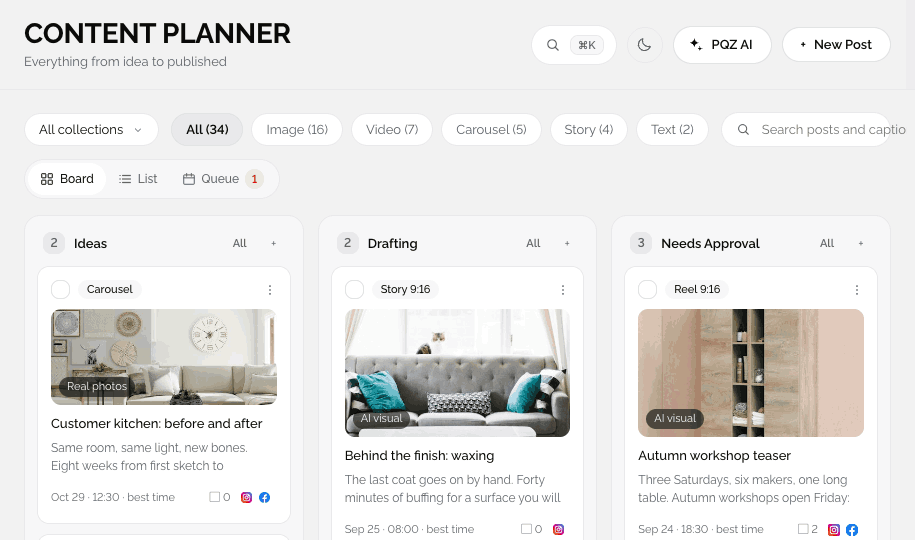
Five tools and a shared spreadsheet is not a workflow
In-house teams juggle a scheduler, a design tool, a shared drive, a chat thread for approvals and a spreadsheet that tries to hold it together. Work gets done twice, versions get lost and nobody is sure which caption is final.
The bigger the team, the worse it gets. New people write in a slightly different voice, approvals wait on one busy manager, and a post goes out with last month's offer because the fix lived in someone's notes.
PQZ gives the team one workspace for the whole loop. The Brand Kit keeps everyone on voice and on fact, the Content Planner shows who is working on what, and Approvals makes sign-off a single queue instead of a chase.
Everyone sees and does only what their role allows
Owner, Approver, Editor and Viewer
Editors draft, approvers sign off, viewers watch results, and owners handle billing, channels and roles. Agency adds custom roles with a permissions matrix.
Two approvers when a post needs a second yes
Rules set once, applied to every post
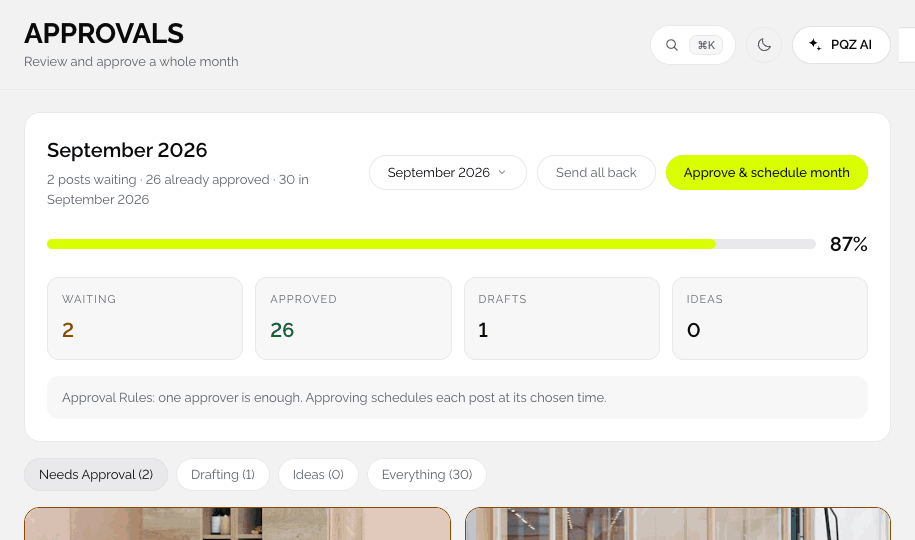
Require approval, add a second approver, and auto-schedule on approval. The rules apply whether a post came from Content Autopilot or a teammate.

We are hiring a workshop lead. Four days a week, on site in our studio.

Approved on my side. Nina, can you check the hours?
A record of every decision
Who approved, published or changed what
Settings › Audit log lists approvals, publishes, invitations and security changes with who and when. Export it to CSV on Agency.
A typical week for a team on PQZ
About an hour of shared time.
Monday: the week is drafted
Content Autopilot drafts the week from the plan. Editors pick up ideas on the board.
Tuesday: polish and approve
Editors polish, approvers sign off in bulk or send posts back with a note.
All week: publish and reply
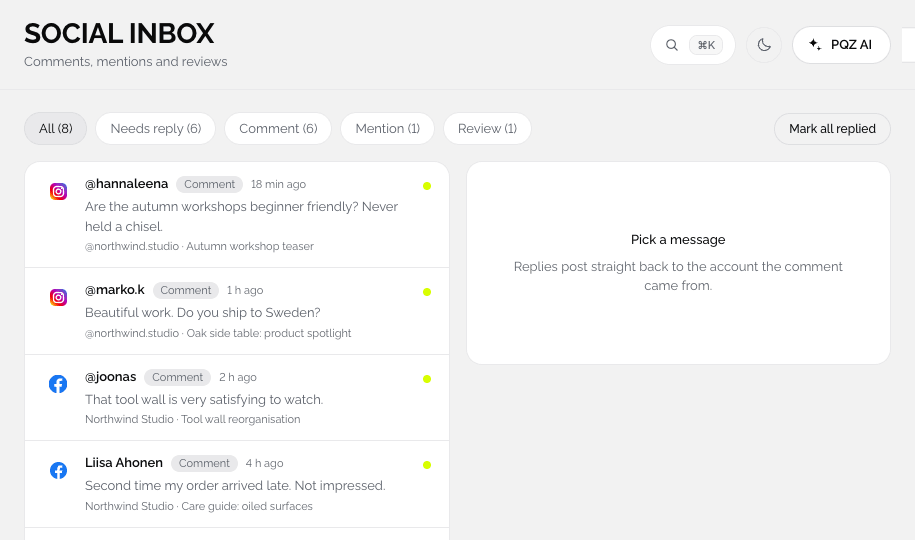
PQZ publishes on time. Social Inbox threads are assigned to the right person.
Friday: review results
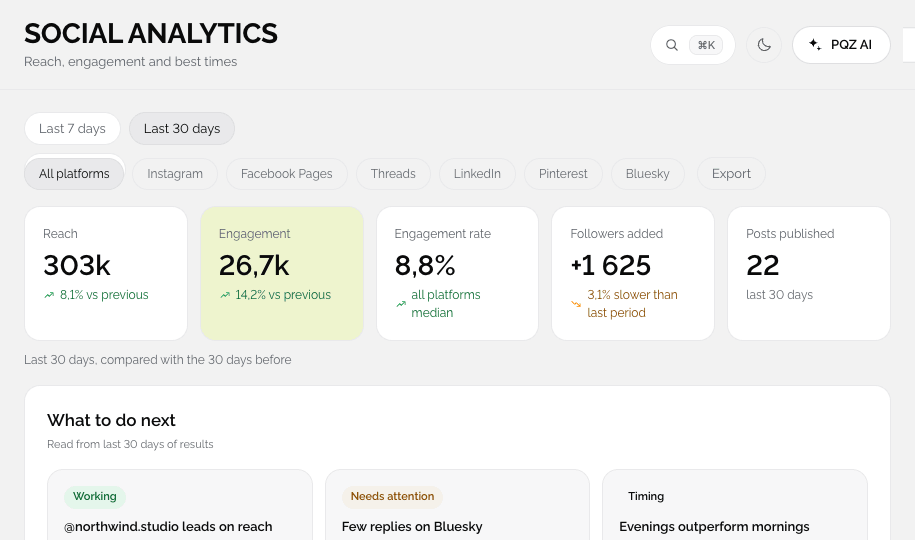
The team checks Social Analytics together and adjusts next week.
Built for more than one person
Clear owners for every step.
Shared Brand Kit
Everyone, and every AI draft, writes in the same voice with the same facts.
Roles
Owner, Approver, Editor and Viewer, with custom roles on Agency.
Approval rules
Require approval, two approvers, auto-schedule on approval.
Content Planner
Board, list and queue views of who is working on what.
Comments
Discuss a post on the post, not in a chat.
Assign
Hand posts and inbox threads to teammates.
Notifications
Approvals waiting, failed posts and expiring connections.
Audit log
Who changed what and when, exportable to CSV.
Two-factor authentication
Protect every account with an authenticator app.
How roles keep a team moving
Owners set the rules
Owners manage billing, integrations, roles and the approval rules that apply to everyone.
Approvers sign off
Approvers can review and approve content without needing to change settings. Two approvers can be required on every post.
Editors do the work
Editors draft, edit and schedule for approval. They cannot publish anything that has not been approved.
Viewers stay informed
Viewers see the calendar and results, which is ideal for leadership and stakeholders who want visibility without editing rights.
How in-house teams use PQZ
Three common setups.
One marketer, one approver
Autopilot drafts, the marketer polishes and the manager approves once a week.
Editors across channels
Each editor owns channels on the board, and one approver signs off everything.
One brand, several markets
A workspace per market with its own channels and the same brand rules. See multi-location.
Team workflow, before and after PQZ
The same team, less chasing.
Questions about Brands and in-house teams
How many seats do I get?
Can I limit who publishes?
Is there an audit log?
Can people sign in with Google or Microsoft?
Can we comment on posts?
Do we share AI credits?
Can stakeholders see the calendar?
How long does it take to set up a team?
Can two people work on the same post?
Keep exploring PQZ
Bring your team into PQZ and approve your first 30 days together.