AI social media calendar and scheduler in one view
Every post from idea to published, on one board and one calendar.
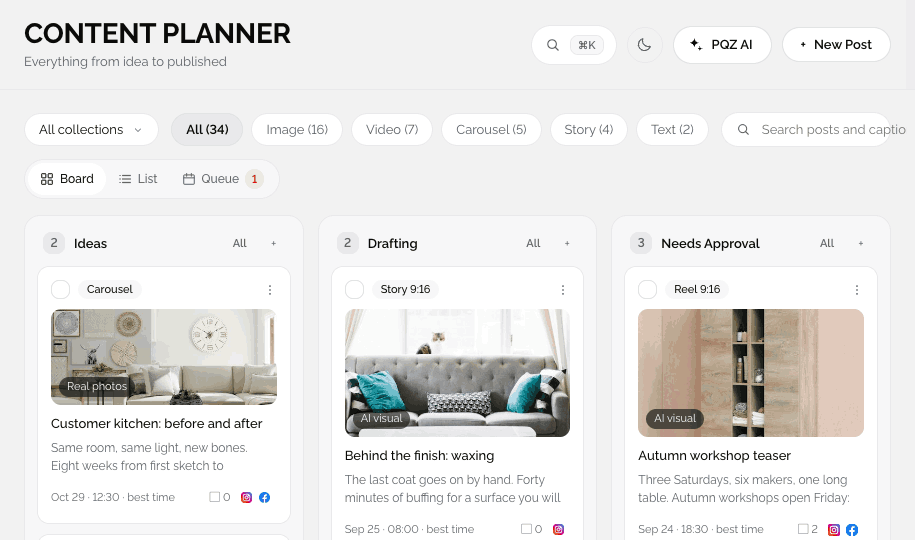
The Content Planner shows what is drafting, what needs approval and what is scheduled. The Content Calendar shows it all by date. Drag a post to a new day and PQZ updates it for every channel.
Spreadsheets and sticky notes can't tell you what's going out today
Most teams track social in a spreadsheet, a chat thread and each channel's own scheduler. Nobody knows which draft is final, which post is waiting for approval, or why Tuesday's post never went out.
The Content Planner and Content Calendar replace all of that with one view of every post. The same posts appear on the board, in the list, in the queue and on the calendar, so everyone sees the same status. When a post fails, the reason and a Retry button sit right on the card.
Every post from idea to published, on one board
Board, List and Queue views
The Content Planner shows each post as a card that moves from Idea to Draft, Needs Approval, Scheduled and Published. Switch to List for detail or Queue to see what goes out next, with failed posts counted on the toggle.
See the month the way your audience will
Drag to move, click to edit
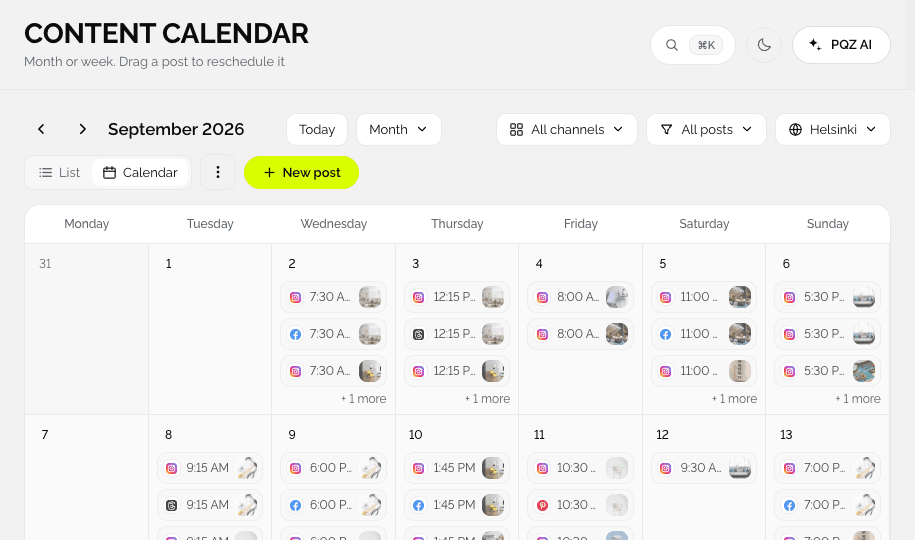
The Content Calendar lays out every scheduled post by day with its image and channel. Move a post to another day, open it to edit, or add a new one in an empty slot. Collections, such as a launch, show together.









Plan a launch as one thing, not twelve posts
Move and approve a campaign together
Group posts into a collection like "Spring launch". Move the whole collection if the date changes, send it for approval together, and filter the calendar to see only that campaign.
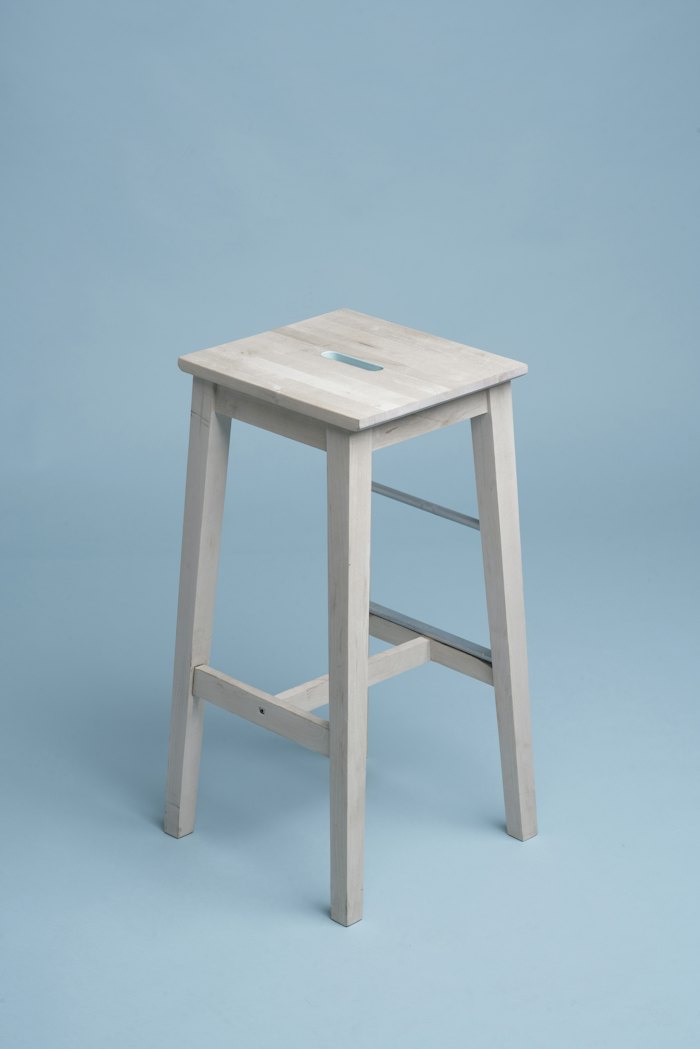
Meet the Alder sofa, in six colours. Launching Monday.
A simple weekly rhythm
Four views of the same posts, so nothing gets lost between tools.
Capture ideas
Add ideas to the board or let Content Autopilot fill it.
Draft and approve
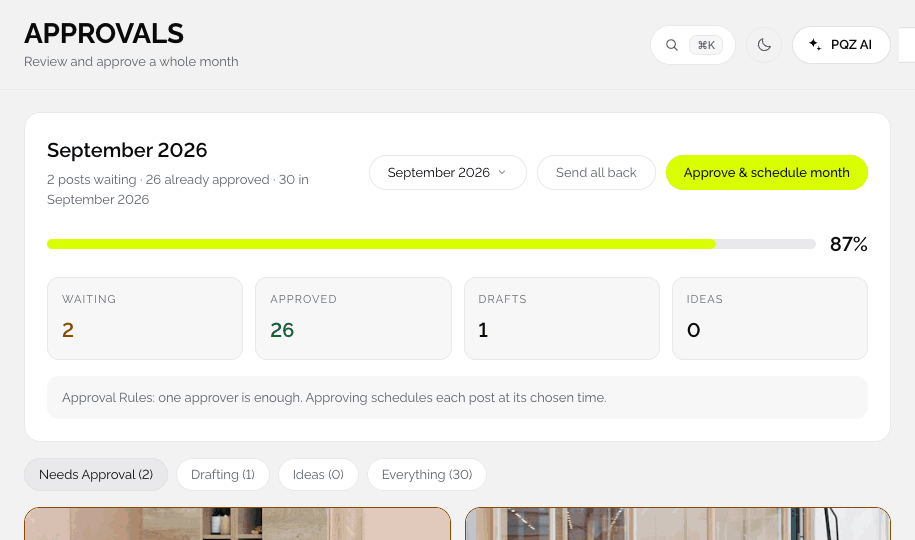
Drafts move to Needs Approval. Approved posts move to Scheduled.
Plan by date
The Content Calendar shows the month or week. Drag a post to move it.
Watch the queue
The Queue view lists the next posts per channel and flags failures with a count.
The details that save time every week
Small things that add up.
Board, List and Queue
Three views on the Content Planner, plus the Content Calendar.
Drag to reschedule
Move a post to a new day and the time updates for each channel.
Collections
Group posts for a launch or season and approve them together.
Failed posts
See why a post failed and retry it from the card.
Filters and search
By collection, format, channel or status. Find any caption fast.
Best times
Suggested times per channel from your own results.
Share the month
Send a link to the calendar. View-only needs no login.
Bulk reschedule
Select several posts and apply one new time rule to all of them.
Time zones
Plan in yours. Publish at the right local time.
One source of truth for your social calendar
Why four views of the same posts
Writers think in drafts, managers think in dates and whoever is on duty thinks in "what goes out next". The board, the calendar and the queue show the same posts for each of those jobs, so nobody keeps a private copy in a spreadsheet.
Statuses that mean something
Ideas, Drafting, Needs Approval, Scheduled and Published follow the approval rules you set. A post can only reach Scheduled after it is approved, so the calendar only ever shows posts that are cleared to go live.
Collections keep campaigns together
A launch or a seasonal push is several posts on several channels. Put them in one collection to filter, approve and reschedule them together, and see the whole campaign on the calendar at a glance.
How teams use the planner and calendar
Three ways the views help.
One status everyone trusts
Editors, approvers and managers look at the same board, so nobody asks "is this final?" again.
Show clients the month
Share a view-only link to the calendar. Clients see exactly what will go out, without a login.
A launch as one collection
Teaser, reveal and reminder posts live in one collection that you approve and move together. See product launches.
Scheduling, before and after PQZ
The same month of posts.
Questions about Content Planner & Calendar
Can I schedule one post to many channels?
Do the board and calendar show the same posts?
What happens if a post fails?
Can clients see the calendar?
Is the Content Calendar on every plan?
Can I stop posts at night?
Keep exploring PQZ
Connect your channels and see every post on one calendar today.