Automated publishing to ten social channels
One post, the right format for every channel, at the best time.
PQZ publishes to Instagram, Facebook, Threads, LinkedIn, Pinterest, Bluesky, Mastodon, Telegram, Discord and Tumblr. TikTok, YouTube, LinkedIn company pages and Google Business Profile are coming soon. It retries on failure, tells you why, and follows the publishing rules you set once.
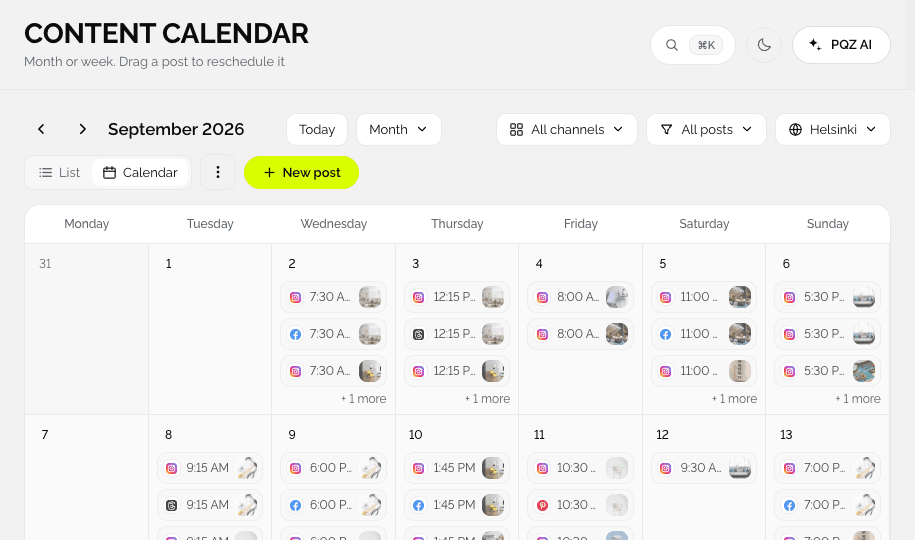
Logging in to ten apps to post one idea is not a strategy
Every channel has its own app, its own formats and its own way of failing. Posting the same launch to Instagram, LinkedIn and Pinterest means three logins, three crops and three chances to forget one. When a post fails at 7am, you find out from a customer.
PQZ publishes from one place. You connect each account once in Integrations, approve the post, and PQZ sends the right version to each channel at the chosen or best time. Rules like quiet hours and the duplicate guard apply to every post automatically.
Publish to every channel from one post
Each channel gets the format it expects
Instagram, Facebook, Threads, LinkedIn, Pinterest, Bluesky, Mastodon, Telegram, Discord and Tumblr. Write once and PQZ adjusts the size, caption length and hashtags per channel, then publishes at each channel's best time.

Our autumn menu starts today: maple oat latte and pear loaf. See you at the counter.
Rules that stop mistakes before they go out
Quiet hours, duplicates and UTM tags
In Settings › Publishing you set quiet hours, block duplicate posts, add UTM tags to every link and choose hashtag rules. The rules apply to every post, whoever wrote it and however it was made.
When a channel fails, PQZ tries again and tells you why
No silent failures
If a channel rejects a post, PQZ retries it. If it still fails, the post moves to the Queue view with the reason from the channel, and the dashboard shows which accounts need reconnecting with a Reconnect button.

Two-for-one pizza every Tuesday this month. Walk in or order online.
How a post goes live
Automatic, but never out of your hands.
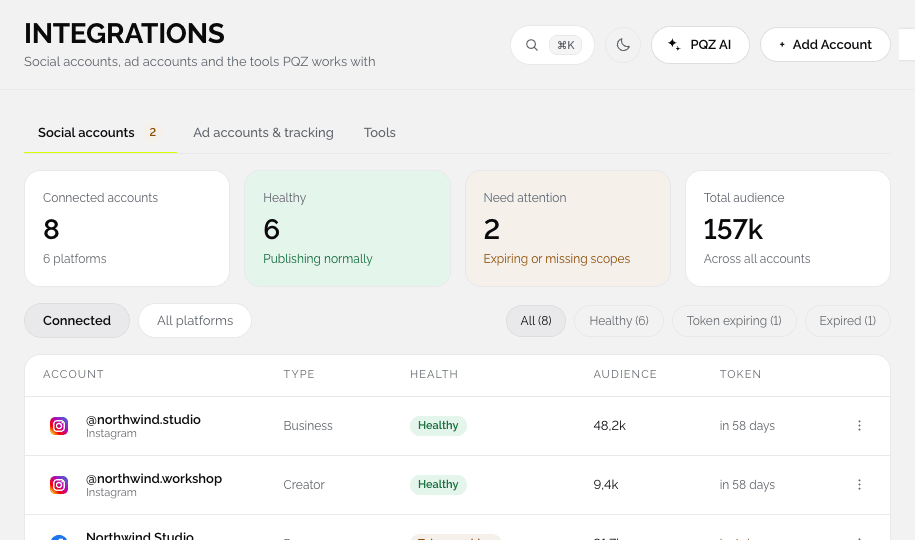
Connect your accounts
Add each channel once in Integrations. PQZ asks only for the permissions it needs.
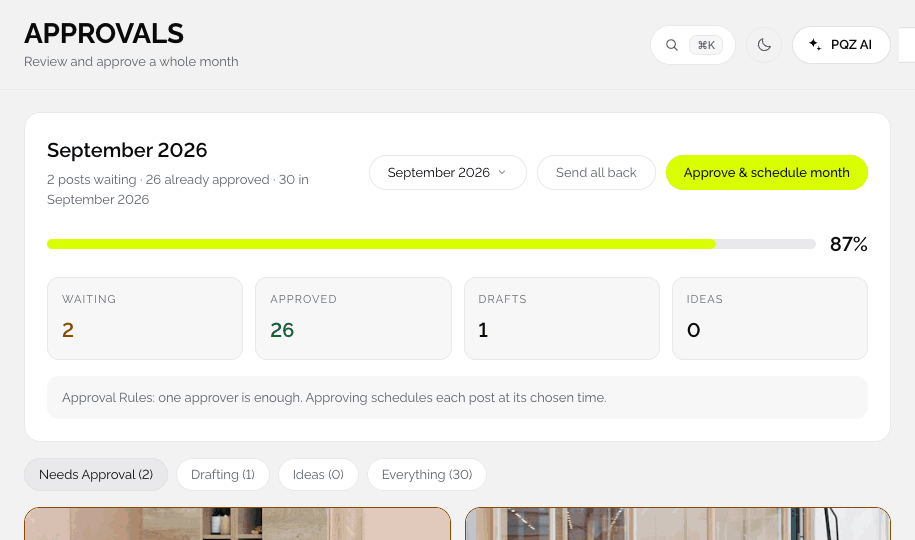
Approve the post
Approved posts move to Scheduled. Nothing publishes from Drafting or Needs Approval.
Publish at the right time
At your time or the best time per channel, respecting quiet hours.
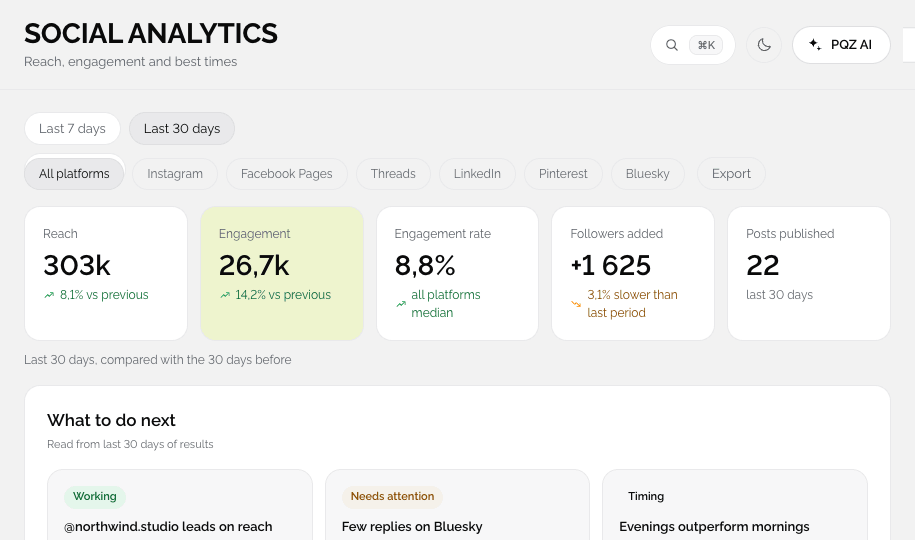
See the results
Reach and engagement flow into Social Analytics.
Publishing rules that keep your channels safe
Set once in Settings › Publishing, applied to every post.
Ten channels
Instagram, Facebook, Threads, LinkedIn, Pinterest, Bluesky, Mastodon, Telegram, Discord and Tumblr. TikTok, YouTube, LinkedIn company pages and Google Business Profile are coming soon.
Formats per channel
Feed posts, carousels, Reels, Stories and video, where each channel allows them.
Best time per channel
Suggested from your own results, or set your own times.
Retries
A failed post is retried, and the reason shows on the card with a Retry button.
Duplicate guard
Stops the same post going out twice on the same channel.
Quiet hours
No posts during the hours you block.
UTM tags
Added to links so you can see which posts send visitors.
Hashtag limits
A maximum per channel, so captions stay clean.
Connection health
PQZ warns you before a token expires. Reconnect from the dashboard banner.
What happens behind every published post
The right format for each channel
One approved post becomes a feed post on Instagram, a text post on LinkedIn, a Pin on Pinterest and a short post on Bluesky, each with the caption length and hashtags that channel allows.
Failures you can see and fix
Channels reject posts for many reasons: an expired token, a video that is too long, a missing permission. PQZ retries, then shows the reason on the card with a Retry button and counts failures on the Queue view, so nothing fails silently.
Rules that protect your accounts
Quiet hours, the duplicate guard, UTM tags and hashtag limits are set once in Settings › Publishing and apply to every post from every person and every AI draft. Webhooks can tell your other tools when a post publishes or fails.
Where publishing from PQZ helps most
Three common setups.
One launch, every feed
Approve once and PQZ sends the right format to each channel at the right local time.
Local offers, handled
Post offers and updates to Instagram, Facebook and your other channels from one calendar. Google Business Profile is coming soon. See local services.
Fewer logins, fewer risks
People approve and schedule in PQZ, so fewer teammates need passwords to every channel. See Teams.
Publishing, before and after PQZ
The same post on ten channels.
Questions about Publishing
Which channels can PQZ publish to?
Which permissions does PQZ need?
What happens when a connection expires?
Can I publish Reels and Stories?
Can anything publish without approval?
Is there a limit on posts?
Can I publish at a different time on each channel?
Keep exploring PQZ
Connect your channels and publish your first approved post today.