Autopilot, assisted or manual social media, per channel
As much help as you want, and no more.
Let PQZ plan and write the month, have it draft the topics you choose, or write every post yourself and let PQZ publish and report. Mix modes per channel, and change them any time.
All-or-nothing automation doesn't fit real teams
Some channels need a human voice every time. Others just need to stay active. Most tools force one choice for everything: either you write it all, or a bot does, and you spend the week undoing what it posted.
PQZ lets you choose per channel. Run Autopilot on Instagram and Facebook, and write Threads posts yourself from the ideas you pick. Approvals stay on in every mode by default, so nothing goes out that nobody checked.
Modes are not a setting you pick once and live with. As a channel grows or a campaign starts, switch it from manual to assisted or Autopilot, and switch back when you want more control. Nothing about your calendar, approvals or reporting changes.
PQZ plans and writes, you approve
For channels that reward a steady rhythm
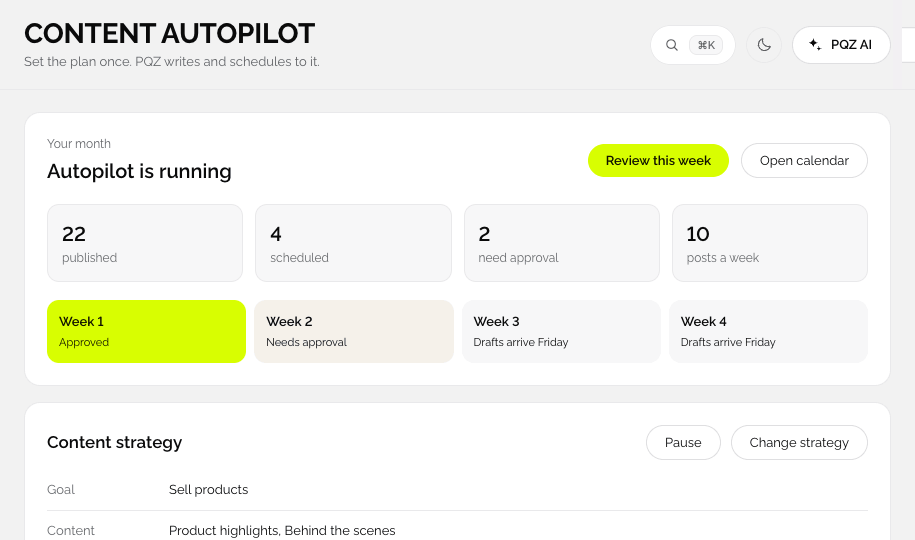
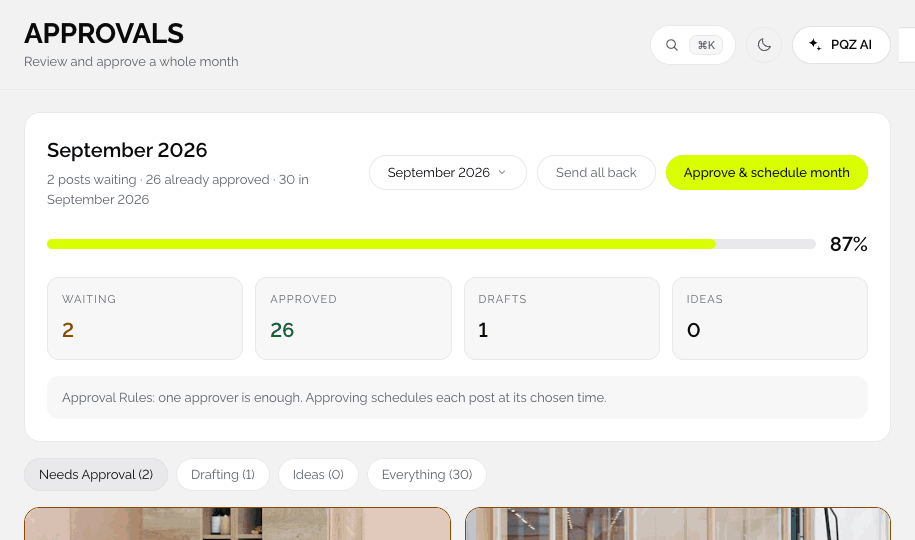
Content Autopilot plans the next 30 days from your goal, topics and schedule, then writes and designs each post. Everything waits in Approvals until you say yes.










You choose the topic, PQZ writes it
For channels where the idea matters most
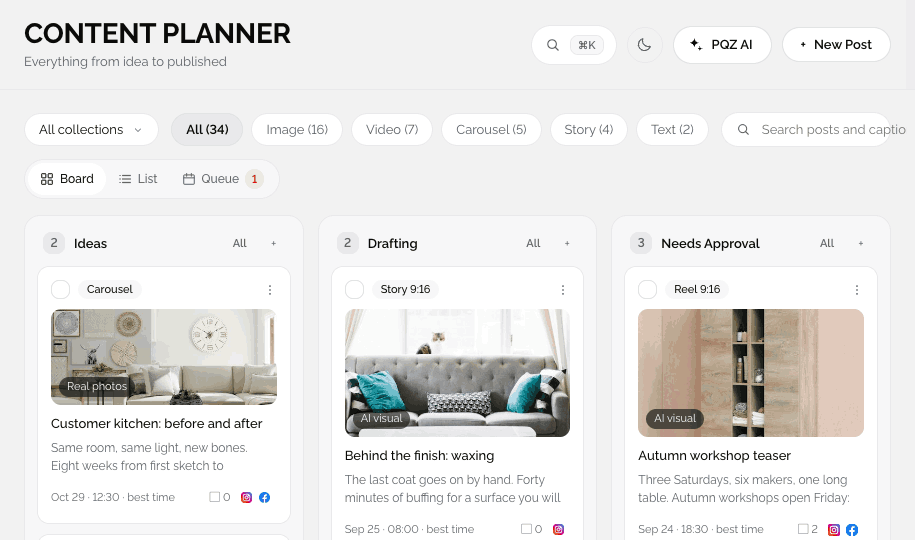
Add an idea to the Content Planner and PQZ drafts the post in your voice with a matching image. You edit and approve. Good for Threads and for anything your team wants to shape.
We moved our workshop to a solar-powered space this year. Here is what changed for the team and for the furniture.

Add the number of panels, it is on the About page.
You write, PQZ handles the rest
For announcements and personal accounts
Write every word yourself. PQZ sizes it for each channel, publishes at the best time, retries on failure, collects replies and reports results.
A note from our founder on ten years of Northwind Studio.
Choosing a mode
A simple guide.
Short on time: Autopilot
Content Autopilot plans, writes and designs the month from your Brand Kit. You approve.
Clear ideas, no time to write: assisted
You add topics on the Content Planner. PQZ drafts and designs each one.
Love writing: manual
You write every post. PQZ publishes at the right time, replies and reports.
Not sure: start with Autopilot
Approve everything for a month, then switch channels to assisted or manual where you want more say.
What each mode does
Approval is on in every mode by default.
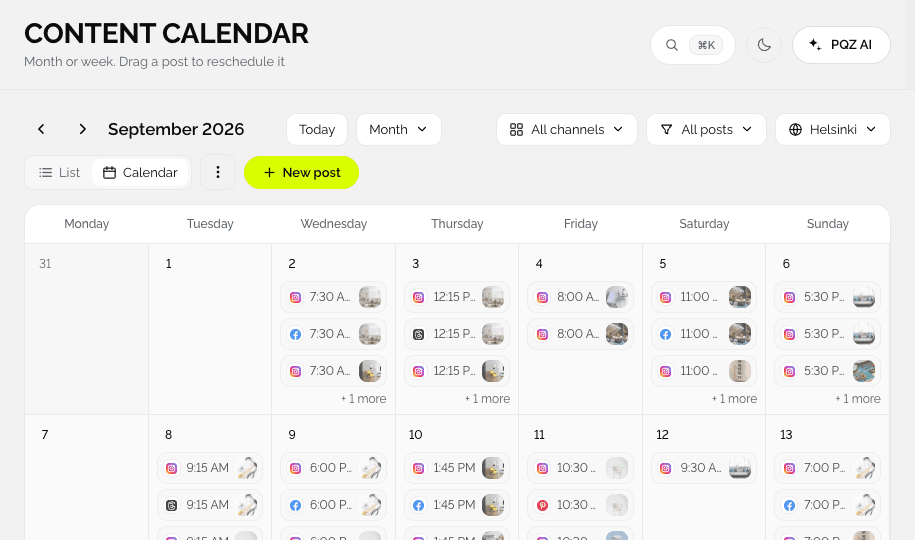
Plans the next 30 days
Autopilot only. Goal, topics, post types and schedule become 30 days of drafts.
Writes drafts
Autopilot and assisted, from your Brand Kit voice and facts.
Designs images
Autopilot and assisted, with Create Image and your brand.
You write
Manual. You write every post, and PQZ adds nothing to the calendar without you.
Needs approval
Every mode, unless you change the approval rules.
Publishes
Every mode, to ten channels at the right times.
Replies
Every mode. Social Inbox drafts suggested replies.
Reports
Every mode. Social Analytics and Create Report.
Mix per channel
Choose a mode for each channel and change it any time.
How teams mix modes
Autopilot for steady channels
Instagram and Facebook reward a regular rhythm. Autopilot keeps them active with product posts, tips and seasonal content, and you approve the month in one sitting.
Assisted for channels that need a point of view
On Threads, the idea matters more than the frequency. Add the topics you want to talk about, and PQZ drafts posts in your voice for you to shape.
Manual where every word counts
For announcements, sensitive topics or a founder's own account, write the post yourself. PQZ still handles timing, formats, retries, replies and reporting.
Approval rules work the same in every mode
Whether a post came from Autopilot, an assisted draft or your own keyboard, it follows the same rules in Settings › Approvals: require approval, two approvers and auto-schedule on approval.
Common setups
Three real patterns.
Autopilot everywhere
One owner, little time. Autopilot on every channel and a monthly approval.
Assisted on Threads, Autopilot elsewhere
Topics come from the team; PQZ drafts. Other channels run on Autopilot.
Manual plus two approvers
Writers draft by hand, two approvers sign off. See health and wellness.
Automation, before and after PQZ
The same channels.
Questions about Ways to work
Can I switch modes later?
Is approval required in every mode?
Which plans include Autopilot?
Can one team mix modes?
Does manual mode use AI credits?
Where do I set the mode?
Which mode should a new brand choose?
Keep exploring PQZ
Try Autopilot free for 7 days and switch channels whenever you like.