Playbook: Run Client Brands in Separate Workspaces
PLAYBOOK

Playbook: running client brands in separate workspaces

How an agency keeps every client's voice, channels, approvals and reports apart, while one team runs them all from one login.

Example workspace · no customer results
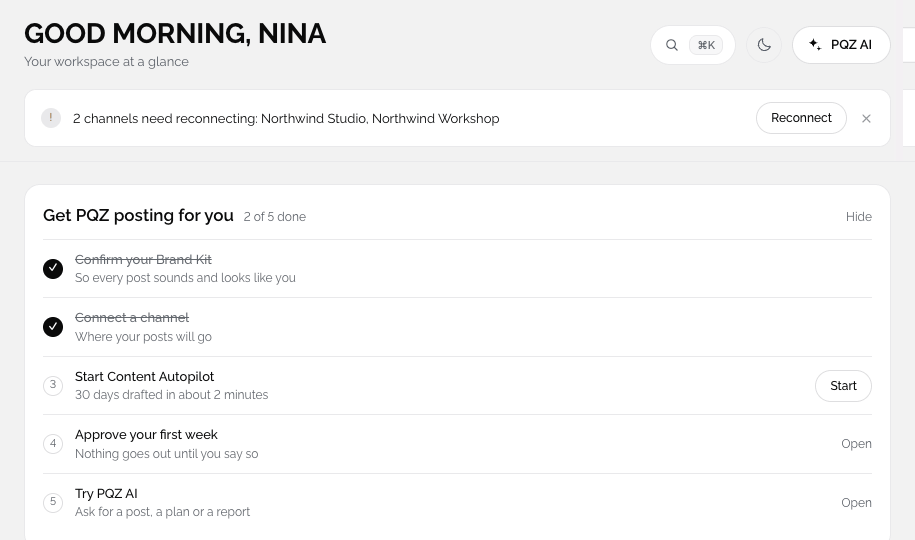
PQZ · Dashboard
Dashboard

Agencies lose time and trust in the same places: the wrong voice on the wrong account, approvals chased by email and reports built by hand. This playbook sets up PQZ so none of those can happen by accident.

1. One workspace per client

Create a workspace for each client and scan their website. Each workspace gets its own Brand Kit, channels, calendar, approvals and reports. Switching clients is one click, and nothing crosses over.

2. Roles per workspace

Invite staff to the workspaces they work on. Editors draft, approvers sign off. Clients who want to comment can get a share link instead of an account.

3. Plan each client's month

Set a Content Autopilot plan per client from their goals. Drafts come from each client's own Brand Kit.
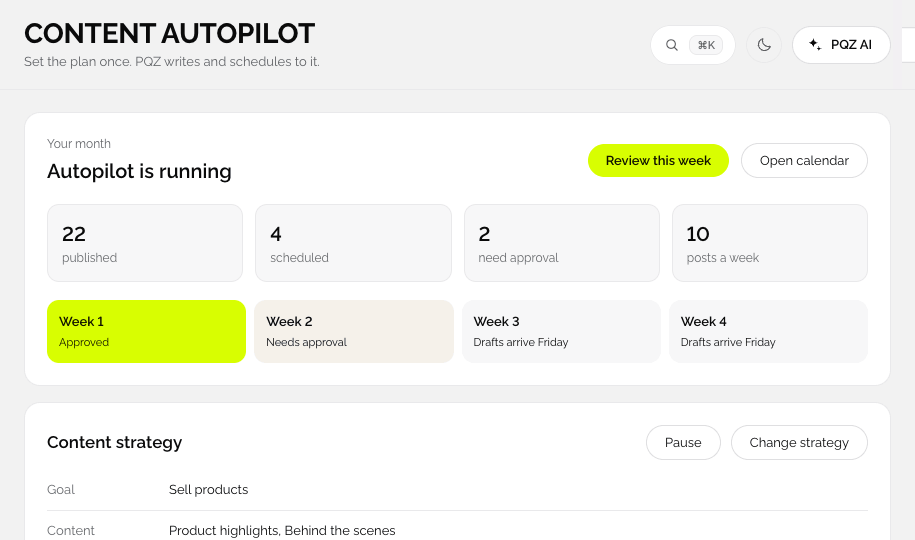
PQZ · Content Autopilot
Content Autopilot for a client workspace

Share the month with the client. View-only needs no login; allow comments if you want feedback on the posts themselves. You approve and schedule once they are happy.
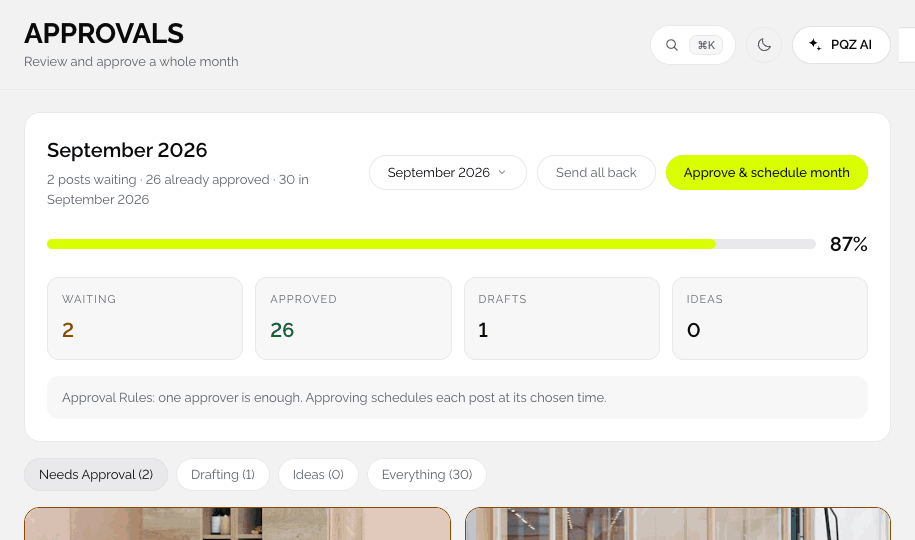
PQZ · Content › Approvals
Approvals for a client month

5. Reports that send themselves

Build a report per client in Create Report and schedule it weekly or monthly.
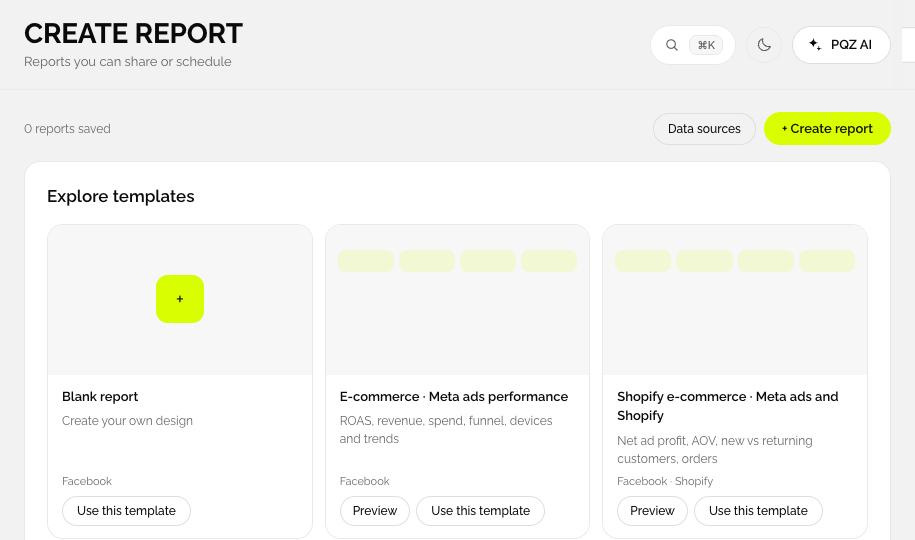
PQZ · Reports › Create Report
Create Report for a client

Checklist for a new client

  1. Create the workspace and scan the site.
  2. Check the Brand Kit facts with the client.
  3. Connect their channels and ad account.
  4. Set the Content Autopilot plan.
  5. Share the month for review.
  6. Schedule the monthly report.

IN THE APP

The screens in this playbook

ONE WORKSPACE PER CLIENT

Every client brand in its own workspace

Nothing crosses over by accident

Each workspace has its own Brand Kit, channels, calendar, approvals and reports. Switch clients in one click, and posts can never go out in the wrong voice or on the wrong account.

✓Separate Brand Kit per client
✓Separate channels and approvals
✓One login for your whole team
Media Library · Workspaces · 6
Upload
Harbour Café
Hospitality
Harbour Café
Northwind Studio
Furniture
Northwind Studio
Lumen Salon
Beauty
Lumen Salon
Coastline Homes
Real estate
Coastline Homes
North Gym
Fitness
North Gym
Corner Books
Retail
Corner Books
CLIENT REVIEW

Send the month to the client with a link

View only, can comment or can edit

Share a month for review. Clients see every post as it will appear and comment on the ones they want changed, without an account. You approve and schedule once they are happy.

✓No client login needed for view only
✓Comments land on the post
✓Approve and schedule the month together
Harbour Café · December
Shared · Can comment
Approve month
MTWTFSS
1
Gift cards
Gift cards
2
3
Menu
Menu
4
5
6
Brunch
Brunch
7
8
Hours
Hours
9
10
Beans
Beans
11
12
13
Supper club
Supper club
14
15
Menu
Menu
16
17
Gift cards
Gift cards
18
19
20
Terrace
Terrace
21
22
Brunch
Brunch
23
24
Holiday hours
Holiday hours
25
26
27
Menu
Menu
28
2 comments from Harbour CaféReview
REPORTS

Client reports that build themselves

Schedule once per client

Create Report builds a report per client with the metrics they care about. Schedule it monthly and spend the time on the work instead of the slides.

✓A report per client workspace
✓Metrics chosen per client
✓Monthly schedule
Reach
22.4k
+9%
Engagement
4.6%
+0.8
Bookings
84
+14%
Harbour Café · engagementThis quarter
Top post
Top post
Weekend brunch reel
6.2% engagement
RELATED

Keep reading

PQZ for agenciesThe solution page.READ MORE 30 days for a small teamThe monthly workflow.READ PLAYBOOK Affiliate ProgramEarn 30% for referrals.READ MORE
7 days free · No card needed

Create your first client workspace and send the month for review.

START FREE

Every client, one login