PQZ Resources: Guides, Help and Playbooks
RESOURCES

Resources for running social media with PQZ

Guides, playbooks and help, all written around the real app.

GUIDES

Guides

Longer walkthroughs.

Why AI tools get brand facts wrong

And how approved facts fix it.

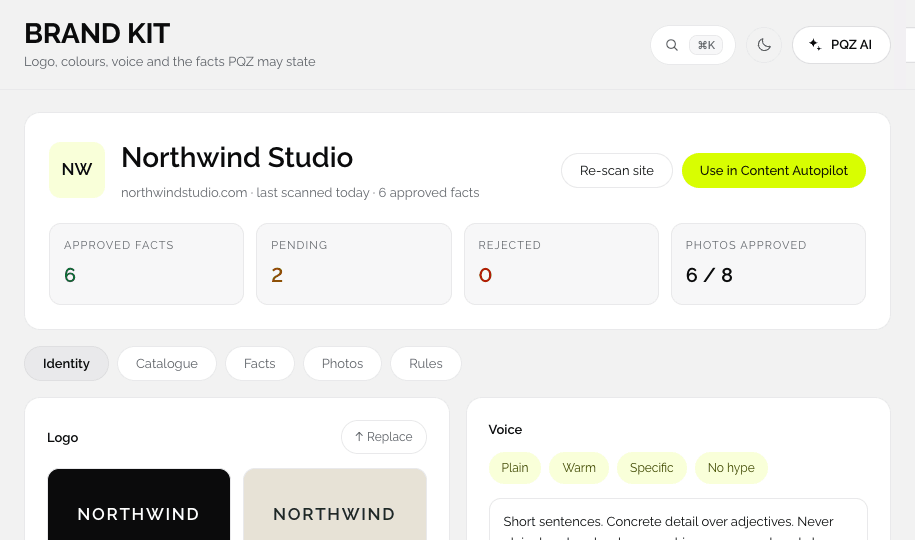
PQZ · Set up › Brand Kit
PQZ Set up › Brand Kit screen
READ GUIDE

Plan 30 days of posts in one sitting

A repeatable monthly routine.

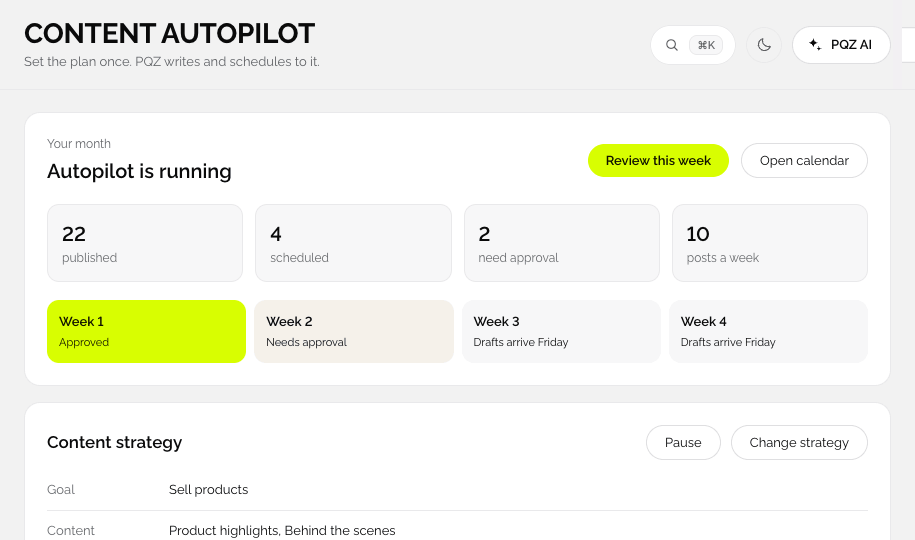
PQZ · Content Autopilot
PQZ Content Autopilot screen
READ GUIDE

Autopilot, assisted or manual

Choosing how to work per channel.

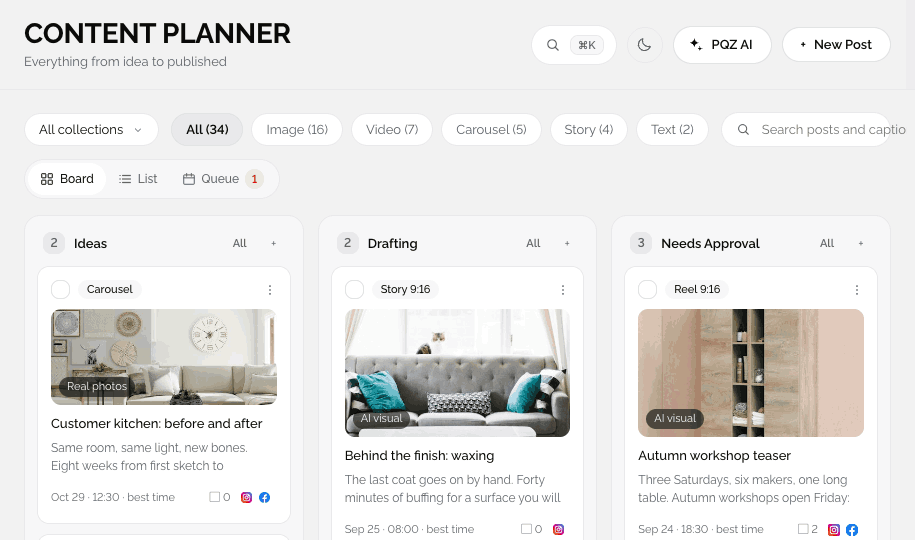
PQZ · Content › Content Planner
PQZ Content › Content Planner screen
READ GUIDE
PLAYBOOKS

Playbooks

Screen-by-screen workflows.
30 days for a small team

Scan, plan, approve and publish.

PQZ · Dashboard
PQZ Dashboard screen
READ PLAYBOOK

Stopping an expired offer

Facts that retire cleanly.

PQZ · Set up › Brand Kit
PQZ Set up › Brand Kit screen
READ PLAYBOOK

Client brands in separate workspaces

For agencies.

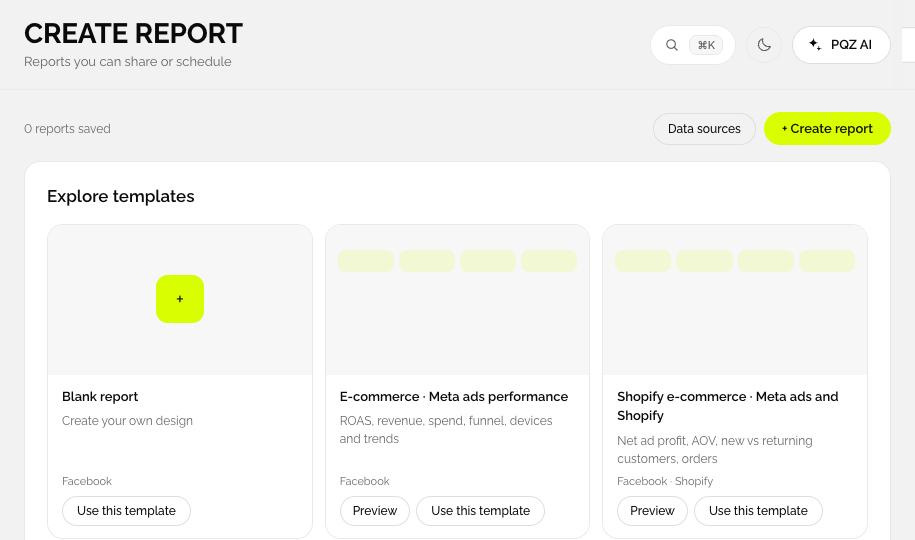
PQZ · Reports › Create Report
PQZ Reports › Create Report screen
READ PLAYBOOK
SUPPORT

Help and reference

Answers and definitions.

Help centre

Step-by-step answers.

LEARN MORE

Glossary

Plain definitions.

LEARN MORE

Changelog

What changed in the app.

LEARN MORE

Trust centre

Accuracy, control and data.

LEARN MORE
WHAT IS SLOWING YOU DOWN?

Pick your biggest bottleneck

See how PQZ handles it, then try it on your own website.

A month of posts from one plan
Content Autopilot
PLANNING

A month of posts from one plan

Set your goal, topics, post types and schedule once. Content Autopilot drafts 30 days of posts for every channel, shows the credit total and waits for your approval.

✓30 days drafted in one run
✓Holidays and awareness days included
✓Nothing publishes until you approve

A score for your ad account, and the fixes
Meta ads
ADS

A score for your ad account, and the fixes

Ads Overview scores your Meta ad account and ranks what to fix. Create Ad and Bulk Ad Launcher turn your images and videos into ads in a few steps.

✓Account score and recommendations
✓Five texts and five headlines per ad
✓Retargeting and retention audiences
On-brand images from a phone photo
Create Image
DESIGN

On-brand images from a phone photo

Ten image tasks, from Product on white to Sale poster and Carousel. Your product stays exactly as it is, and your colours, fonts and logo are applied for you.

✓Ten tasks with credit costs shown
✓Every size from one design
✓Results go straight into posts and ads
Create Video
VIDEO

UGC, product ads and faceless videos

Answer a few questions and PQZ writes a script from your approved facts. Edit any line, pick a presenter, then render with voice, music and captions.

✓Eight presenters
✓15, 30 or 60 seconds
✓Captions for sound-off viewing
Only facts you approved are ever stated
Brand Kit
ACCURACY

Only facts you approved are ever stated

The website scan finds your facts and shows where each one came from. You approve them, and posts, replies and ads use nothing else.

✓Every fact linked to its source
✓Words to avoid kept out
✓PQZ asks when a fact is missing
Every comment and review in one list
Social Inbox
REPLIES

Every comment and review in one list

Comments, messages, mentions and Google reviews from every channel, with suggested replies written from your approved facts.

✓All channels in one inbox
✓Replies with the right details
✓Keyword auto replies
WHAT YOU CAN MAKE

Images, carousels and videos for every feed

Examples of the formats PQZ creates, from product shots to UGC video.

Lifestyle scene
Lifestyle scene
UGC video
Product on white
Product on white
Menu post
Menu post
Listing carousel
Listing carousel
Product ad
Photo enhance
Photo enhance
Sale poster
Sale poster
Class post
Class post
Faceless video
Change background
Change background
Story
Story

Examples show the kinds of images and videos each task produces. Photography from Unsplash and Pexels.

START FREE
7 days free · No card needed

Scan your website and see your Brand Kit and first drafts in minutes.

START FREE

Your social media, run end to end