How PQZ works, from website scan to a published month
From your website to a month of approved posts in about 30 minutes.
Scan your site, set a plan and approve the month. PQZ publishes to ten social channels, drafts replies to comments and shows what worked, so next month is better.
Social media shouldn't need five tools and a spreadsheet
A typical social setup is a scheduler, a design tool, a caption generator, an inbox tool, a link-in-bio tool and a spreadsheet that holds it all together. Each tool knows a little, none knows your brand, and you do the joining up.
PQZ runs the whole loop in one app, from learning your brand to reporting what worked. Every step uses the same Brand Kit, and a person approves every post before it goes live.
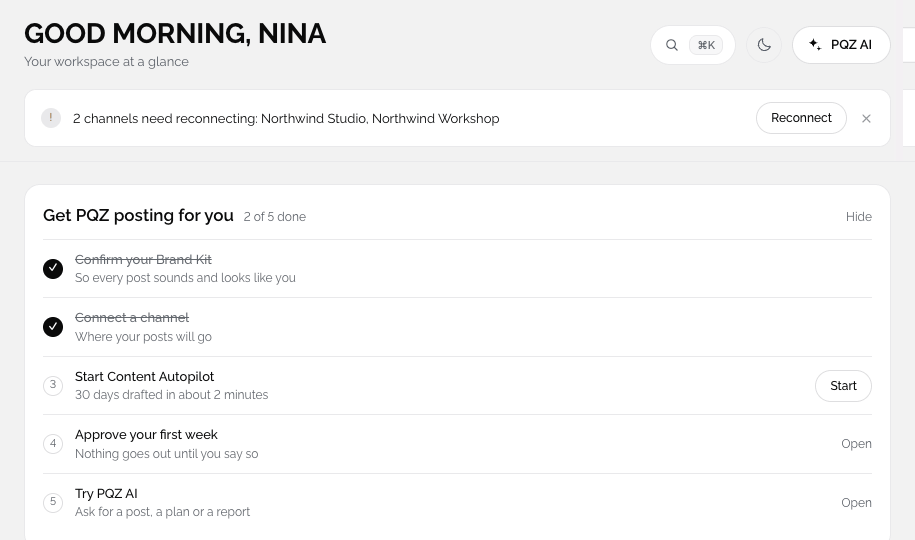
That also means one login, one bill and one place to look when something goes wrong. The dashboard shows the week ahead, channel health and anything waiting for you, so you can see the state of your social media at a glance every morning.
PQZ learns your brand from your website
About two minutes, then you check it
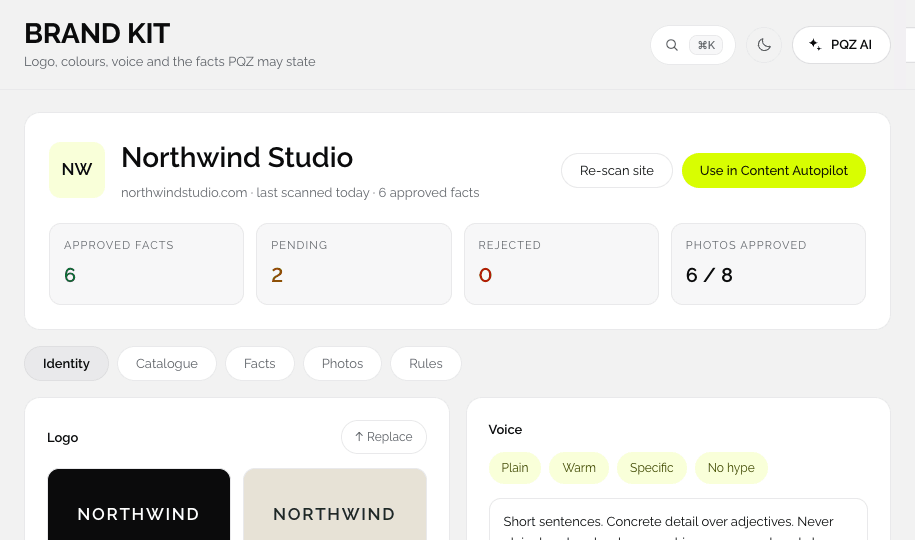
Type your address. PQZ builds your Brand Kit with logo, colours, fonts, voice, products and facts. You approve the facts posts may use.
PQZ plans the next 30 days and makes the posts
Images, carousels and videos in your brand
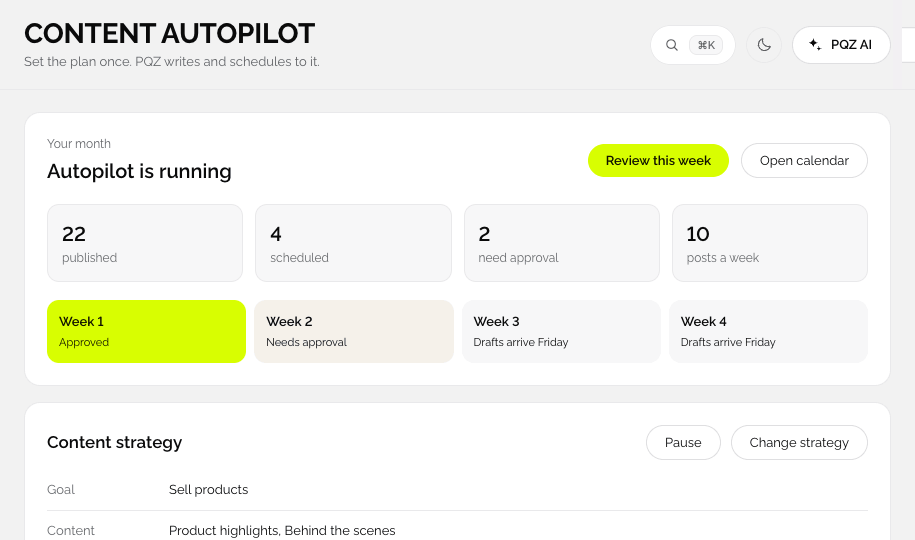
Content Autopilot turns your goal, topics and schedule into 30 days of posts. Create Image and Create Video make the visuals, all from your approved facts and Brand Kit.










You approve, PQZ publishes and replies
Then results tell you what to do next
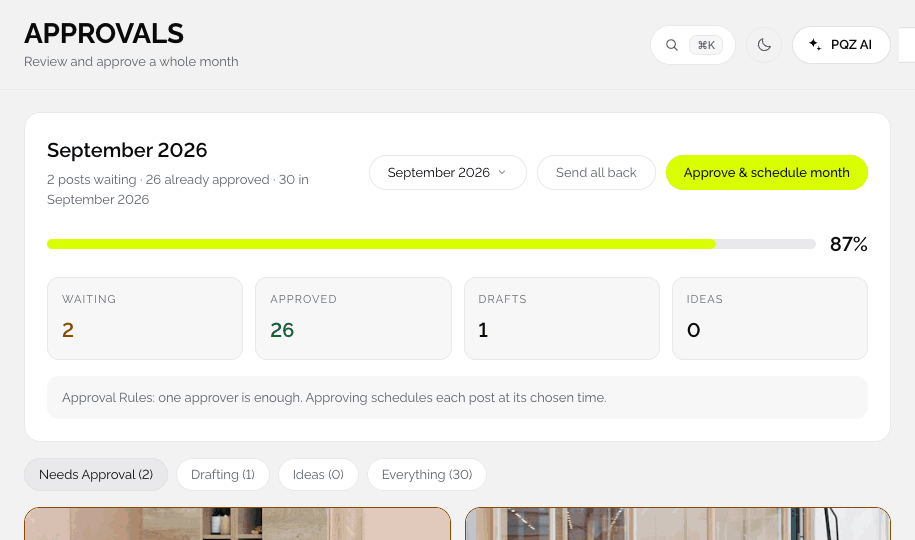
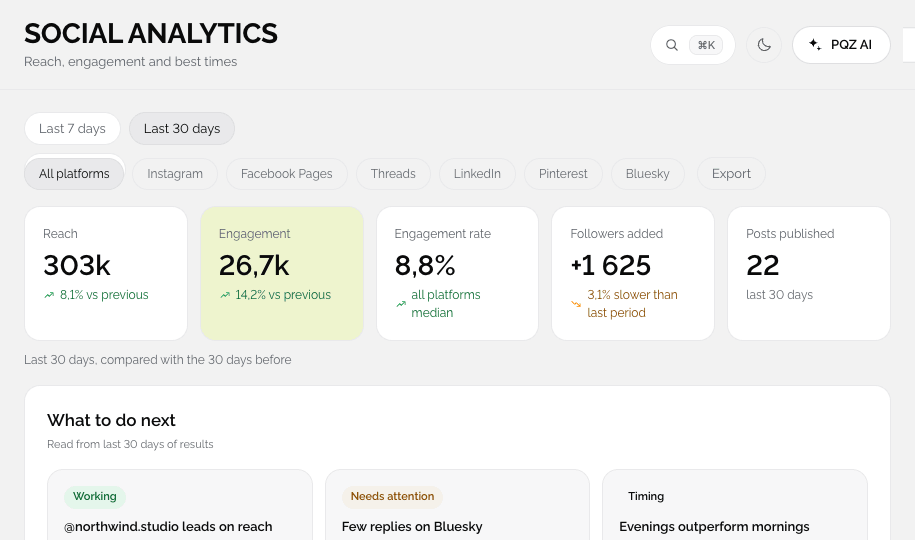
Read the month in Approvals and approve in one pass. PQZ publishes at the best time on each channel, drafts replies in Social Inbox and reports results in Social Analytics.
The Alder sofa in forest velvet, made to order in our workshop. Tap to see all six colours.

Approving the whole month now.
The PQZ loop
Every step is a page in the app.
Scan your website
PQZ builds your Brand Kit: logo, colours, fonts, voice, products and approved facts.
Set the plan
Content Autopilot turns your goal, topics and schedule into 30 days of drafts.
Approve
Review the month in Approvals in one sitting.
Publish, reply and learn
PQZ publishes, drafts replies in Social Inbox and reports in Social Analytics.
Everything happens in one app
Seven menu sections: Create, Discover, Content, Engage, Ads, Reports and Set up.
Create
Create Image, Create Video, Repurpose Post, Remix a Post, Template Library and Media Library.
Discover
Find Trends, Track Competitors and Ad Library.
Content
Content Autopilot, Content Planner, Content Calendar and Approvals.
Engage
Social Inbox, Link Shortener and Link in Bio.
Ads
Ads Overview, Ads Manager, Create Ad, Bulk Ad Launcher, Audience Builder and Ad Automations.
Reports
Social Analytics, Ads Analytics and Create Report.
Set up
Brand Kit, Integrations and Settings.
AI Assistant
Ask PQZ to plan, write or explain anything, from any page.
Dashboard
The week ahead, channel health and what needs you.
Your first week
Day one: scan and plan
Type your website, check your Brand Kit, connect your channels and set the Content Autopilot plan. Most people finish in about 30 minutes.
Day two: approve the month
Read the drafted month in Approvals. Edit what you want, send back what you don't, and approve the rest.
Days three to six: publish and reply
PQZ publishes at the right times and fills Social Inbox with suggested replies. You answer in seconds.
Day seven: check and adjust
Look at Social Analytics, keep what worked and adjust the plan. Then buy Pro or Agency to keep going.
After the trial
Pick the plan that fits: Pro for one brand, or Agency for agencies and up to 25 brands. Both are paid once. Your Brand Kit, drafts and connections carry on as they are.
Three ways to run PQZ
Choose per channel.
Hand over the month
PQZ plans, writes and designs. You approve.
You pick the ideas
You choose topics. PQZ drafts and designs.
You write, PQZ runs the rest
You write every post. PQZ publishes, replies and reports. See ways to work.
Social media, before and after PQZ
The same month.
Questions about How PQZ works
How long does setup take?
Do I need a designer?
Will PQZ post without me?
Can I use only part of PQZ?
Is there a free trial?
What does PQZ cost after the trial?
What does the AI Assistant do?
Do I need to connect channels before the scan?
Keep exploring PQZ
Start with your website. See your Brand Kit and first drafts in minutes.